
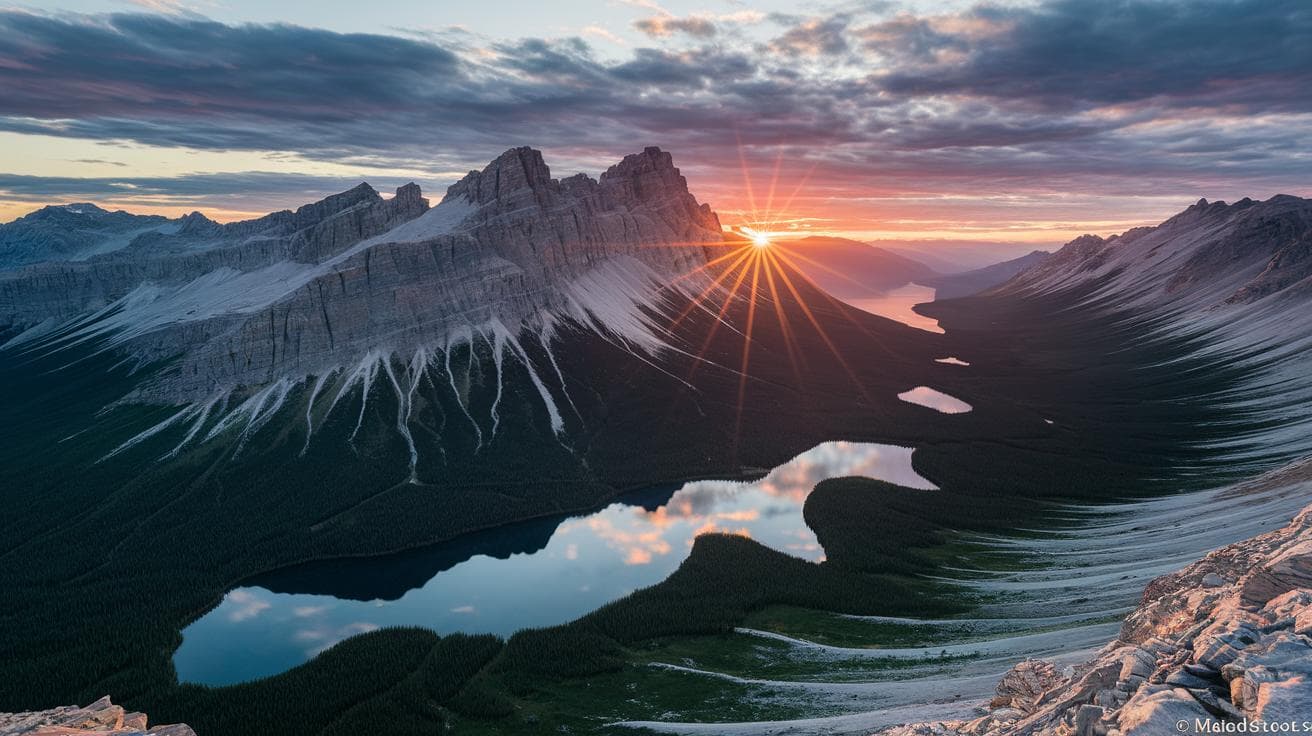
Ever thought that typing a few words could paint a mountain sunrise so real you feel the cool breeze on your face? I know, it sounds a bit like magic.
Well, that’s exactly what Midjourney’s prompt generator does. A prompt is a short text you give the AI (artificial intelligence) and it turns it into an image. No art skills needed.
In a sec, you’ll get five ready-made landscape prompts that stir your feelings. Imagine a forest at dawn wrapped in mist, or dramatic desert dunes under brooding clouds. Incredible.
Then you’ll see how a little tweak, like switching the style or viewpoint, can turn a simple idea into a grand visual story. It’s like adjusting the spices in your favorite dish until it tastes just right.
So, are you ready to let your creativity run free? Let’s dive in.
Ready-to-Use Midjourney Prompt Examples for Landscapes

Have you ever wanted to see your words turn into a breathtaking scene? With the midjourney prompt generator (https://cms.scalebytech.com/?p=5468), you can type a few simple details and watch as a photoreal vista unfolds.
Here are some ready-to-use AI landscape prompts that show how midjourney brings scenes to life:
- Photorealistic mountain range at golden hour, 16:9, Sony A6400, 20 mm
- Watercolor forest glade at dawn, misty, high resolution
- Cinematic desert dunes under dramatic skies, wide angle, f/2.8
- Fantasy digital painting of an emerald forest with sunbeams
- Hyperrealistic seascape with crashing waves, overcast mood, 4:5
- Alpine lake watercolor with misty peaks and soft reflections
- Pixel art canyon vista at sunset, vibrant colors, 1:1
- Oil painting style rolling hills under stormy skies, 3:2
- Pen and ink sketch of a foggy marshland with reeds
- Retro travel poster of a tropical island sunset, bold flat shapes
Feel free to play around with weight modifiers and model settings to discover your own unique results.
Customizing Midjourney Landscape Prompts by Artistic Style

When you add a style modifier to your prompt, you’re deciding the textures, colors, and even the mood of the scene. For example, "watercolor forest" gives soft, blended hues, and "cinematic desert" brings dramatic light and deep shadows. It’s like grabbing a paintbrush or slapping on a camera filter before the AI starts its masterpiece. Then you see how a tiny tweak can change everything.
And if you’re craving something bold, try "concept art canyon". It asks the AI to carve out chunky rock shapes, rich contrasts, and an earthy color mix, perfect for game and movie scenes. Imagine cliffs bathed in rust red, sepia shadows pooling in the cracks. Like a designer’s sketch waiting to spring to life.
Technical Parameters for Midjourney Landscape Prompts

Have you ever wondered how to get Midjourney to paint your dream vista just right? It’s kind of like planning a photo shoot with all the gear on hand, you give clear directions, and you get a killer shot.
First, drop in a camera model tag, say “Sony A6400”, to ask for crisp, sharp details. You can almost hear the quiet hum of high-resolution focus. Then add a lens tag like “20mm lens” (focal length tells how wide or tight the shot is; 20mm gives you a wide-angle view).
Next, frame the scene with an aspect ratio tag such as “–ar 16:9” for a cinematic feel. If you want a creative boost, slide in a stylize tag, “–stylize 1000” adds a nice artistic flair. Stylize (it tells the AI how much creative freedom to take).
You can also clean up the scene with negative prompts, “–no people” or “–no buildings” clears out unwanted stuff. And weight modifiers like “sky::2” or “mountain::0.5” let you nudge key elements up or down (the number is the strength).
| Parameter | Example Syntax | Effect |
|---|---|---|
| Camera Model | “Sony A6400” | Sharper details |
| Focal Length | “20mm lens” | Wide perspective |
| Aspect Ratio | “–ar 16:9” | Cinematic frame |
| Stylize | “–stylize 1000” | Artistic flair |
| Negative Prompt | “–no people” | Cleaner scene |
To keep your prompts from spinning out, stick to a handful of tags that match your vision. Start with camera and lens, then set your aspect ratio. Dial in stylize between 500 and 1000 for a subtle vibe, and only crank it past 1500 when you want that painterly look.
Weight modifiers like “::1.5” boost a tag, while “::0.5” tones it down, you’re basically directing the AI. Negative tags clear the stage so your main subject can shine. Want the sky to steal the spotlight? Give it extra weight with “sky::2” right before your scenic details.
And here’s a tip: change one setting at a time so you can see its impact. It’s fun, it’s hands-on, and it takes the guesswork out of crafting stunning landscapes!
Compositional Techniques and Aspect Ratio Guide for Midjourney Landscapes

Framing is the heart of a standout landscape prompt. When you tag your text with words like “wide angle mountain shot” or “long exposure waterfall scene,” you’re essentially giving Midjourney a recipe for big impact. You’ll see peaks stretching across the screen or water flowing with a soft blur. It’s like listening to the gentle buzz of algorithms bringing your vision to life!
Then pick an aspect ratio – that’s just the image’s shape. A 16:9 ratio is perfect for sweeping panoramas that feel straight out of a movie. Use 4:5 when you want tall forest scenes that look amazing as prints. And 9:16 is ideal for portrait-style reels on social media. Next, layer in depth cues. Incredible.
Imagine a twisted log up front, misty hills in the middle, and a glowing sky in the back. Those details help the AI stack each scene in perfect order. Lead the eye with lines – a path, a river, even a row of stones. Or drop in a small figure for scale. It adds a real sense of size and wonder!
Here are a few quick tips:
- Use foreground elements to add depth
- Apply the golden ratio or rule of thirds
- Include “wide angle” for expansive vistas
- Use “long exposure waterfall” to capture motion blur
Try these aspect ratios:
| Ratio | Best Use |
|---|---|
| 16:9 | Epic landscapes |
| 4:5 | Detailed vertical forests |
| 9:16 | Social media reels |
Have you tried mixing formats to see what works best? It’s fun to experiment and find the frame that fits your vision.
Mood, Lighting, and Color Modifiers in Midjourney Landscape Prompts

Have you ever tried typing misty morning woodland scene into a Midjourney prompt? It’s like giving the AI a mini mood board, guiding its vibe with just a few words.
Words like twilight valley view or golden hour hillside vignette show the model how to light and color your landscape. You can almost feel the soft blues of dusk or the warm glow of sunrise.
Then there’s HDR sunset visualization. This tag cranks up contrast and saturation so the sky feels alive, deep reds, bright oranges, dreamy purples lighting up the horizon.
And color palettes really set the tone. Autumn woodland wraps your scene in ambers and russets. Spring wildflower vista brings fresh greens and pastel pops. Subtle pastel haze turns everything soft and dreamy. Rich jewel tones make leaves gleam like emeralds.
Mood tags keep it simple. somber twilight fog adds a moody, reflective touch. vibrant dawn glow sparks fresh energy and optimism.
Try mixing two or more descriptors. Pair misty morning woodland scene with HDR sunset visualization for landscapes that feel soft and dramatic all at once. Bold. Unique.
- Misty morning woodland scene
- Golden hour hillside vignette
- HDR sunset visualization over lake
- Twilight valley view with stars
- Autumn woodland landscape
- Spring wildflower vista at dawn
Now your landscapes won’t just be pictures. They’ll tell a story you can almost touch.
Best Practices and Variation Techniques for Midjourney Landscape Prompt Engineering

Crafting prompts for Midjourney landscapes means using clear, concise instructions so the AI has no second-guessing. Think of it as sketching with words, sharp strokes give you crisp mountains and glowing skies. Ever felt your scene go blurry because your prompt had too many vague bits?
We pair brevity with clear weight values to guide the model. Keep each line under forty words, cut out any fluff, and watch the magic unfold. A tight, focused prompt often leads to more consistent, eye-catching results.
- Use precise, evocative adjectives
- Keep each prompt under 40 words
- Add negative prompts to filter out unwanted items (like “no text” or “no people”)
- Tweak weight modifiers (“::2”) to emphasize key details
- Lock in a seed value for the same result every time
- Try small variations, change one parameter at a time to discover fresh angles
In real projects, we often run into the same hiccups. Overloading a prompt with descriptors can make your vision scatter instead of sing. Conflicting weight values drag the AI in opposite directions, and heavy weights paired with negative tags can muddy your scene. The fix? Target your descriptors, test one parameter at a time, then use those variation techniques to zero in on perfection.
Prompt Chaining Method
Prompt chaining starts with an initial image, your rough silhouette. Then you feed that result back in, layer by layer, adding textures, lighting, or mood. It’s like painting a landscape: you block in shapes first, then build up details until the scene comes alive. Incredible.
Final Words
in the action: We explored ready-to-use prompts for mountains, forests, deserts, and more. Then we saw how to tweak artistic styles, watercolor, cinematic, concept art.
We covered camera settings, aspect ratios, styling tags, and how to frame epic vistas.
We talked about mood and lighting modifiers to set that perfect dawn or twilight glow. And we shared best practices to keep your prompts clear and variations fresh.
Keep experimenting, trust your creative spark, and happy prompting with midjourney prompt examples for landscapes!
FAQ
What are some examples of Midjourney landscape prompts on Reddit?
Midjourney landscape prompt examples on Reddit include photorealistic mountain ranges at golden hour, watercolor forest glades at dawn, and cinematic desert vistas under dramatic skies.
Where can I find free landscape prompts for Midjourney?
Free landscape prompts for Midjourney come from Reddit threads, community archives, online libraries, and the ScaleByTech midjourney prompt generator tool.
What aspect ratios work best for Midjourney landscapes?
The best aspect ratios for Midjourney landscapes are 16:9 for epic vistas, 4:5 for portrait forests, and 9:16 for vertical scenes that suit social media.
How can I create realistic landscape images in Midjourney?
Realistic landscape images in Midjourney start with clear camera tags like Sony A6400, 20mm lens, f/2.8 and specific lighting labels such as golden hour or HDR sunset.
Can Midjourney generate landscape photography-style images?
Midjourney can generate landscape photography-style images using camera details, lens focal lengths, aspect ratios, and realistic lighting cues to mimic real-world shots.
What is a landscape prompt generator?
A landscape prompt generator is a tool that auto-creates copy-paste text cues for Midjourney, giving varied terrain themes, moods, and art tags for instant use.
What are the best photography prompts for Midjourney?
The best photography prompts for Midjourney mix clear scene descriptions, camera specs, aspect ratios, and mood modifiers like misty dawn or twilight star fields.
Where can I find example images from Midjourney?
Example images from Midjourney appear in Reddit galleries, official Discord showcase channels, community blogs, and the ScaleByTech sample image collection.