
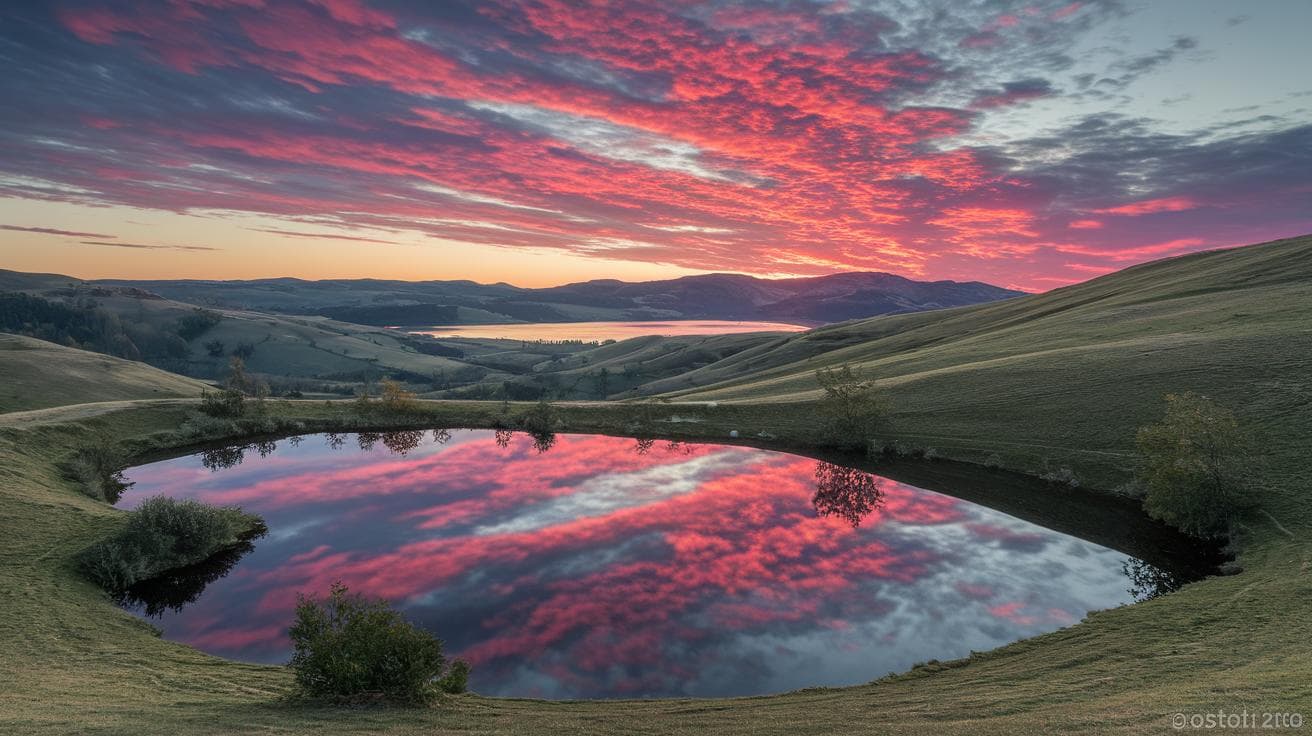
Have you ever sat in front of a blank screen, fingers hovering over the keyboard, wondering how to breathe life into a stunning scene? I know that stuck feeling all too well. With Midjourney landscape prompts (text commands you give an AI), you can turn that emptiness into lush emerald forests or fiery sunset beaches in a heartbeat. It’s like watching your imagination paint itself with every word you type.
Inside, you’ll find ten copy-and-paste prompts that mix mood, color, weather, and iconic landmarks. Think of it as a recipe for visual magic – just follow the steps and see your ideas bloom. The flow feels as smooth as morning dew slipping through ancient pines.
You’ll get dreamy digital paintings that glow with soft light. You might even find pen-and-ink sketches of storm-tossed castles or photorealistic cliffs you can almost feel beneath your feet. Ready to fire up your imagination? Let’s go.
Ready-to-Use Midjourney Landscape Prompts for Diverse Themes

Need a quick spark for your next scene? These ten Midjourney landscape prompts mix mood, color, weather, and landmarks to fire up your imagination. Just copy, paste, and let the AI do its magic.
- A fantasy digital painting of a mystical emerald forest at dawn, with soft gold light filtering through ancient trees and dew-kissed ferns underfoot.
- A tropical island sunset scene: swaying palm fronds against a glassy ocean that mirrors fiery red-orange skies, exotic birds drifting in silhouette.
- A watercolor view of an alpine lake at sunrise, mist curling around snow-capped peaks, pastel hues dancing on gentle ripples.
- A pen-and-ink illustration of a medieval Scottish castle perched on a craggy hill, under a stormy sky, with intricate cross-hatching and deep shadows.
- A traditional Sumi ink landscape showing the Great Wall of China fading into low fog, bold monochrome strokes adding dramatic flair.
- An oil painting–style lavender field under a swirling sky inspired by Van Gogh: thick impasto strokes and vibrant violet-gold contrasts.
- An art nouveau travel poster featuring a steam train crossing an ornate viaduct framed by amber foliage, with elegant curves and muted earth tones.
- A pixel art animation of a futuristic Martian valley under twin moons, blocky terrain shifting from day to night in soft flickers.
- A photorealistic coastal cliff at golden hour: crashing waves, slick wet stones, and dynamic lighting techniques from how to produce photorealistic textures in Midjourney ai art.
- An abstract expression of crashing ocean waves, swirling forms in saturated jewel tones, high-contrast movement that feels alive.
And feel free to tweak color palettes, weather details, or style weights, make each prompt uniquely yours.
Categorizing Midjourney Landscape Prompts by Environment Type

When you’re crafting forest prompts (that’s the little instructions you feed Midjourney, the AI art tool), think about all those tiny details that make a woodland come alive. Picture thick undergrowth brushing your legs, moss-covered trunks that feel almost velvety, and warm sunbeams filtering through a leafy canopy. You can even note the air’s moisture or the size of the leaves to ramp up realism. Toss in a seasonal flair, spring blossoms dancing on the breeze or autumn leaves in shades of amber. And hey, don’t forget a damp forest floor dotted with ferns and mushrooms. It really locks in that rich, green atmosphere.
Shifting to mountains? Here’s where you dial up peak height and weather drama. Mention jagged summits dusted in snow or gentle, rounded hills blanketed in purple heather. Maybe you want stormy skies rumbling overhead, wisps of mist swirling around rocky cliffs, or a crisp blue horizon stretching past a glacier. It’s all about contrast.
Coastal views take you to where land meets sea. Think rugged ocean cliffs, wildflowers clinging to rocky ledges, and foamy waves crashing with clear, glassy water. You could specify the tide, low and rocky or high and roaring, or note the sun’s angle for golden hour reflections on wet stones. That touch refines the shoreline drama.
Underwater scenes dive into a whole new world. Picture bioluminescent reefs glowing in electric blues or shadowy kelp forests swaying in a gentle current. Use details like water clarity, shafts of shifting light, and vibrant coral clusters to evoke that deep-sea vibe. It’s like painting with glow sticks beneath the waves.
And when it comes to desert prompts, zero in on sand texture, fine dunes rippling under a red-sky sunset or cracked, sunbaked earth stretching out under a blazing sun. You can mention wind patterns carving new shapes, spindly shrubs scattered here and there, or distant mesas rising in the haze. That sense of windswept solitude really sells the scene.
Stylistic and Mood Descriptors for Midjourney Landscape Prompts

Have you ever wanted your Midjourney scene to look like a movie poster? Start with a dramatic sky and volumetric lighting (that’s light you can actually see streaming through clouds). Choose a low-angle viewpoint for a sense of scale. Use the rule of thirds to tuck mountains or clouds into eye-catching spots on the frame. Add a whisper of soft film grain for that vintage vibe. These little tricks guide Midjourney to deliver something grand and immersive, ready for the big screen.
If you’re chasing photorealism, lean on natural light and lifelike textures. Imagine the damp roughness of wet rocks or the smooth shimmer of fresh leaves. Pick a color palette of warm dawn oranges or cool twilight blues, like amber sunbeams kissing a foggy meadow at sunrise or silvery hues settling on a riverbank at dusk. Don’t forget small details: wet-stone reflections, crisp shadow edges. They help Midjourney mimic real-world light behavior, almost like you’re right there.
And for a touch of fantasy or stylized art? Mix in an ethereal glow with bursts of vibrant flora, or floating motes of light around ancient ruins. Or go graphic: flat colors, bold silhouettes, minimal gradients, think art deco meets nature. You could even pair glittering fairy dust with geometric tree patterns. It’s all about the right combo to spark Midjourney’s imaginative side and blend otherworldly charm with clean, striking shapes.
Incredible.
Leveraging Midjourney Prompt Parameters for Landscape Art

Have you ever wondered how to shape a digital scene into a soft morning mist or a wild thunderstorm? With Midjourney’s prompt parameters, you’re in the driver’s seat, tweaking every detail until it feels just right.
First up, choose your model version with –version (–v). It’s like picking an artist: version 5 might give you a dreamy watercolor vibe, while version 4 leans toward crisp, realistic textures.
Next, set your canvas shape with –aspect (–ar). Go 16:9 for a cinematic sweep or 1:1 for a neat, centered square.
Want more painterly drama or sharper optics? The –stylize (–s) number balances creative flair against photo-real detail.
And if you’re craving surprises, dial up –chaos. It tosses in unexpected twists, lower it when you want calm consistency.
Finally, use –no to banish anything you don’t want, humans, cars, you name it, from your serene valley.
Ready to explore all the possibilities? Check out midjourney prompt parameters.
| Parameter | Description | Example Value |
|---|---|---|
| –version / -v | Chooses the AI model style | –v 5 |
| –aspect / -ar | Sets the image’s width-to-height ratio | –ar 16:9 |
| –stylize / -s | Adjusts how artistic or realistic it looks | –s 750 |
| –chaos | Controls the level of randomness | –chaos 40 |
| –no | Excludes unwanted elements | –no humans |
Play with these settings and feel the AI’s quiet hum as it transforms your vision. Mix, match, tweak, then step back and watch your landscape bloom from gentle to epic. Incredible.
Best Practices for Crafting and Iterating Midjourney Landscape Prompts

Have fun with short, punchy prompts, aim for under 40 words. Ever notice how “craggy peaks dusted in fresh snow” or “golden-hour light filtering through towering pines” paints a clearer picture than “beautiful mountains”? Try “sapphire lake reflecting dawn’s glow” instead of “nice lake.” When each word adds to mood, light, texture, or color harmony, Midjourney stays on track. Sharp scenes, every time.
Next, mix it up. Pick different color palettes, switch the time of day, or flip your medium, watercolor, oil painting, pixel art, to see what clicks. Want a moody vibe? Try “stormy sky.” For a lighter touch, go with “light drizzle.” And hey, if you don’t want people or buildings, toss in negative keywords like –no humans, –no buildings, or –no fog. Keeps the focus on pure scenery.
Then comes iteration. Tweak your stylize value (how detailed it gets), chaos level (how random it feels), or seed number (the starting point for changes). Log each prompt in a journal or gallery so you can spot subtle shifts between versions. Bookmark your favorites, tighten up your wording, and adjust those weights. Rinse and repeat until every landscape hits just right.
Advanced Prompt Breakdown: Analyzing a Complex Midjourney Landscape Command

Let’s unpack this prompt together:
“serene misty valley at sunrise, oil painting style, soft warm color palette, high detail ::2 dramatic sky ::1 –ar 16:9 –v 5 –seed 42 –no humans”
First up, “serene misty valley at sunrise” sets the scene. You can almost feel the cool fog slipping between the hills and hear the quiet hush before the sun peeks over the ridge.
Next, “oil painting style” tells Midjourney to render it with that classic brushstroke look. And “soft warm color palette” nudges the AI toward gentle yellows, pinks, and oranges, like the first rays of morning.
Then come the weight tags. Putting “high detail ::2” means “hey, focus more on textures in the valley, every blade of grass, every rocky crag.” Meanwhile, “dramatic sky ::1” still cares about big clouds, but just a bit less.
Now the parameters:
• –ar 16:9 gives you a widescreen frame, perfect for that sweeping vista feel.
• –v 5 picks Midjourney’s latest model for sharper brushwork and richer colors.
• –seed 42 locks in a repeatable result, you and your team can run it again and see the exact same scene.
• –no humans strips out people, so the valley stays all about nature’s calm.
Want to guide the colors or layout even more? Just start your prompt with an image link or upload path. It’s like handing Midjourney a photo reference before you give your written directions.
Final Words
In the action, we jumped straight into 10 ready-to-use landscape prompts, then explored how to tweak those ideas for forests, mountains, coasts, deserts, and underwater scenes.
We shared style and mood descriptors, broke down key Midjourney parameters, highlighted quick tips for clear, concise prompts, and dissected a complex command step by step.
Next, mix and match these elements to fit your vision. You’ll see landscapes transform with small tweaks.
Have fun experimenting.
Happy creating with these midjourney landscape prompts on your side!
FAQ
Where can I find Midjourney landscape prompts on Reddit?
Midjourney landscape prompts on Reddit appear in dedicated subreddits like r/Midjourney where users share prompt ideas, example outputs, and tips for crafting vivid AI-generated scenes.
What is a Midjourney landscape prompt generator and how does it work?
A Midjourney landscape prompt generator automatically combines style, color, and scene descriptors into ready-to-use commands so you can quickly experiment with diverse terrain and atmosphere settings.
How can I access free Midjourney landscape prompts?
You can access free Midjourney landscape prompts through community posts, GitHub repositories, and prompt-sharing sites where users publish no-cost examples and templates you can copy and modify.
What are some of the best Midjourney landscape prompts?
The best Midjourney landscape prompts specify clear visual style, mood, and lighting—like “sunlit alpine meadow with wildflowers, cinematic wide-angle, soft morning haze” for vivid, ready-to-render scenes.
How do Midjourney realistic landscape prompts differ from other prompts?
Midjourney realistic landscape prompts focus on natural textures, accurate lighting, and true-to-life details—using terms like “photorealistic,” “natural light,” and “high detail” for authentic, believable results.
What are Midjourney scenery prompts used for?
Midjourney scenery prompts guide the AI to generate specific outdoor environments—mountains, forests, coastlines—by outlining key elements such as vegetation density, weather conditions, and framing style.
What are Midjourney photography prompts and how can they enhance landscapes?
Midjourney photography prompts simulate camera settings—like “35mm lens, shallow depth of field, golden hour glow”—to produce landscapes that feel like real photos with lifelike focus and mood.