
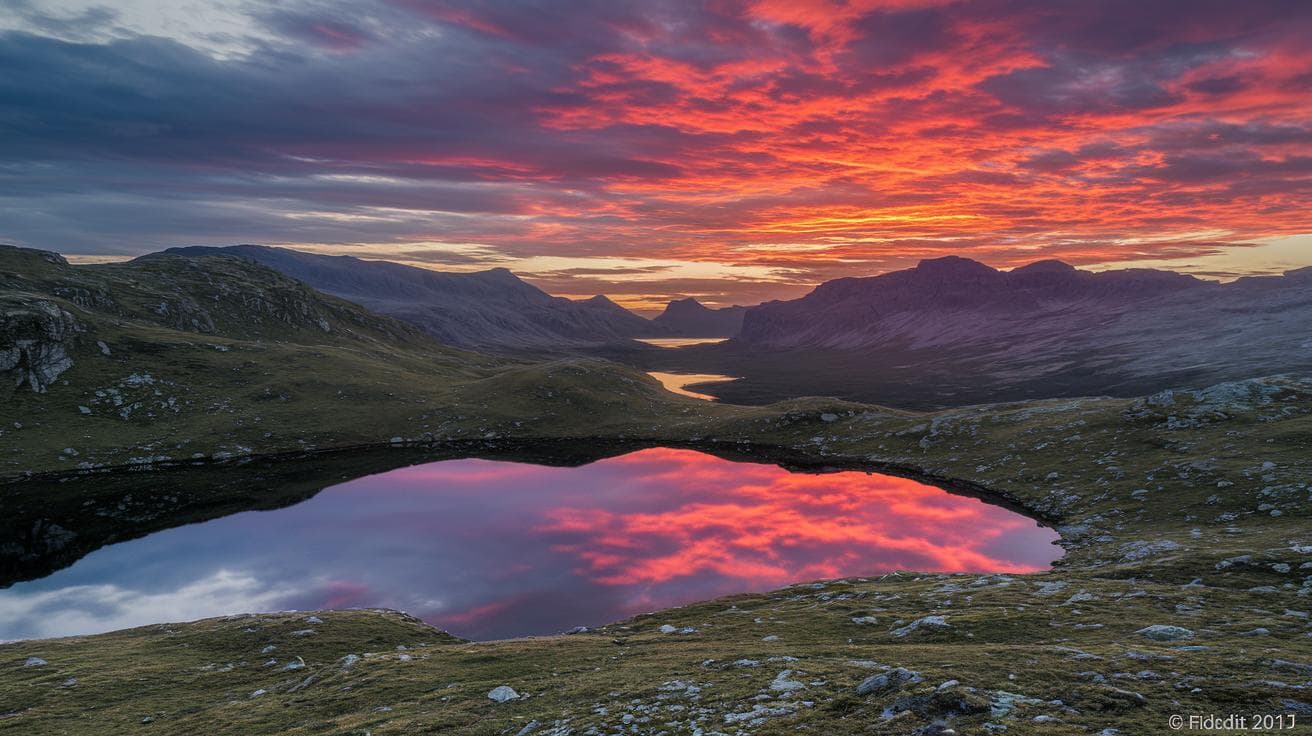
Have you ever wondered if a few simple words could paint a scene so real you can almost feel the mist on your skin? Well, buckle up.
Midjourney is an artificial intelligence (AI) art tool powered by machine learning (software that learns from data). It listens to your words and turns them into visuals that pop – sun-warmed islands, neon-lit patterns, you know, dancing right on your screen.
We’re sharing six jaw-dropping prompts that blend style and sensation. Each example comes with a quick setup and a ready-to-use prompt, so you can plug it into Midjourney and watch your ideas burst to life. Seriously, it’s like handing your imagination a match.
Um, let’s light up your creativity and level up your AI art game. Ready?
Prompt-to-Image Gallery: Samples by Style

Here are some Midjourney samples, organized by style to spark your own experiments. You’ll get a brief sensory setup, followed by the exact prompt you can plug right in.
-
Photorealistic Portrait
Imagine a close-up of an older woman. Soft natural light warms her skin, highlighting fine texture and a subtle emotion that draws you in.
Prompt: “A close-up headshot of an elderly woman, soft natural light, fine skin texture, subtle emotion” –ar 3:2 –stylize 250 –q 2 –v 5 -
Surreal Landscape
Picture islands drifting over a lavender ocean. Twisted trees reach up through a glowing mist, creating a dreamlike mood you can almost step into.
Prompt: “Floating islands over a lavender ocean, twisted trees, glowing mist, dreamlike atmosphere” –ar 16:9 –stylize 1000 –q 1 –v 4 -
Abstract Pattern
Think of a kaleidoscope of geometric shapes in vibrant neon hues. They tile seamlessly and pulse with high contrast, like an energy field for your eyes.
Prompt: “Kaleidoscopic geometric shapes, vibrant neon hues, seamless tiling, high contrast” –ar 1:1 –stylize 750 –q 2 –v 5 -
Architectural Design
Envision a futuristic skyline at dusk. Glass towers reflect the last light, each surface detailed down to the smallest groove, giving the city a sleek, polished feel.
Prompt: “Futuristic city skyline at dusk, glass towers, reflective surfaces, intricate detailing” –ar 16:9 –stylize 500 –q 2 –v 5 -
Pop Art Illustration
Picture a bold comic-style portrait of a woman. Halftone dots and bright primary colors pop off the page, with dynamic lines that almost jump at you.
Prompt: “Bold comic-style portrait of a woman, halftone dots, bright primary colors, dynamic lines” –ar 4:5 –stylize 800 –q 1 –v 4 -
Street Photography
Imagine a black-and-white shot of a busy urban crosswalk. You can almost hear the city hum, feel the motion blur, and see natural shadows dance across the pavement.
Prompt: “Monochrome candid shot of a busy urban crosswalk, motion blur, high grain, natural shadows” –ar 3:2 –stylize 200 –q 2 –v 5
Have fun tweaking those numbers and ratios, see what unexpected magic you can create!
Midjourney Examples with Prompt Templates and Structure

Have you ever wished your words could paint a picture? With Midjourney, it’s almost like magic.
It all comes down to a simple three-part recipe.
First, describe your main subject. Then, sprinkle in style keywords to set the mood or texture. Finally, tack on your parameters at the end, each one starts with two dashes (–), no spaces.
Here’s a template you can tweak:
[Subject], [style keywords] –ar [aspect ratio] –stylize [value] –q [quality]
Try these examples to get started:
- A lone samurai on a misty mountain ridge, hyper-realistic textures, muted colors –ar 16:9 –stylize 600 –q 2
- Neon-lit alley at midnight, geometric shapes, urban landscapes, glowing reflections –ar 3:2 –stylize 750 –q 1
- Floating library in a dreamlike sky, soft pastels, surreal atmosphere –ar 4:5 –stylize 1000 –q 1 –v 5
Parameter cheat sheet
- –ar [W:H]: sets the width-to-height ratio (think 16:9 for a widescreen feel).
- –stylize [number]: controls how much your style keywords shape the scene.
- –q [value]: adjusts detail level and render time (higher means more detail).
Go ahead and swap in your own subjects and style words, abstract patterns, vibrant color palettes, you name it. Imagine watching your ideas come to life on-screen, each tweak humming into place.
In reality, the best way to learn is to play. Tinker with those numbers, see what surprises pop up, and have fun.
Midjourney Examples in Different Versions: V4 vs V5 Demonstrations

Version 4 is your go-to for big, dramatic scenes – think deep shadows and bold contrast. But hands and faces can wobble a bit. Version 5, though, goes all-in on photo-realism. Textures jump out, anatomy holds up, and the light feels like soft golden hour.
And when you put them side by side, you really notice the shift. Hands turn from waxy to sunrise-sharp and expressions come alive. Then you can dial up the detail or tweak the chaos setting to match your mood and vision.
-
Dramatic Architecture (V4)
Cathedral spires cut through storm clouds, and bold arches add a heroic vibe – even if people look a tad off.
Prompt: “Gothic cathedral at twilight, exaggerated shadows, stormy clouds” –ar 16:9 –stylize 1000 –q 1 –v 4 -
Photorealistic Architecture (V5)
That same cathedral jumps into crisp focus – the stone carvings gleam and the clouds glow softly.
Prompt: “Gothic cathedral at twilight, realistic stone textures, soft golden light” –ar 16:9 –stylize 250 –q 2 –v 5 -
Upscale and Consistency
We bumped the detail (–q 2) on a warrior portrait. Version 4 feels like a painting, but Version 5 shows every armor plate and line.
Prompt: “Portrait of ironwood warrior, intricate armor” –ar 3:2 –q 2 –v 4 / –v 5 -
Chaos Test
Turn randomness up high (–chaos 75) for a neon street scene. Version 4 splashes shapes everywhere, while Version 5 still feels grounded in real light.
Prompt: “Futuristic street market, neon signs, rain-slicked pavement” –ar 9:16 –chaos 75 –v 4 / –v 5
Midjourney Examples using Advanced Parameter Techniques

Ever wished you could keep stray elements out of your images? Negative prompting is like a filter for your scene. You just add --no followed by what you want to skip. Imagine a crisp forest pathway lit by a lone lantern, with no fog or critters to distract you.
- Prompt: “Enchanted forest pathway, glowing lanterns, soft moss”
--no fog --no animals--ar 4:5--stylize 500--v 5
Found a look you love? You can lock it in with the --seed option. A seed is just a number that sets where Midjourney’s randomness begins. Use the same seed and you’ll get the same lighting, color balance, and mood every time. Dependable, right?
- Prompt: “Retro diner at sunset, neon reflections on chrome”
--seed 12345--ar 16:9--stylize 600--q 2
Or try blending two images to spark fresh ideas. Use the /blend command to fuse them into one design. It’s like layering photos in a scrapbook, but with AI doing the magic. You’ll end up with a sleek car parked in a neon city, all in one shot.
- Upload image A (your sports car).
- Upload image B (a neon cityscape).
- Enter
/blend idA idB futuristic city, reflective chrome surfaces --ar 3:2 --stylize 700
Mix these tricks to polish your Midjourney output. Clean up noise, freeze your favorite layout, or blend concepts in a snap. Have fun experimenting and watch your ideas come to life.
Midjourney Examples Across Themes: Sci-Fi, Fantasy, Minimalist Compositions

Imagine stepping into a neon alley. Wet asphalt gleams under holographic billboards. Feels like Blade Runner, right? Midjourney can take you there.
- Prompt: “Neon cityscape, rain reflections, holographic signs” –ar 16:9 (aspect ratio) –chaos 40 (randomness) –v 5 (version 5)
- Prompt: “Dystopian skyline, smog, towering megastructures” –ar 21:9 –stylize 800 (style intensity) –v 4
- Prompt: “Futuristic spaceport, lit launch pads, sleek starships” –ar 3:2 –stylize 700 –v 5
Incredible.
Next, drift into an enchanted world where glowing mushrooms light your path. Mythical beasts emerge from soft mist and magic crackles in the air.
- Prompt: “Enchanted forest, bioluminescent mushrooms, soft mist” –ar 4:5 –stylize 900 –v 5
- Prompt: “Crystal dragon on mountain, faceted scales, moonlight” –ar 16:9 –stylize 600 –q 2 (quality boost) –v 5
- Prompt: “Sky sorcery duel, swirling elemental energy” –ar 3:2 –stylize 1000 –v 4
Then we go minimalist. Simple shapes, limited color, and plenty of empty space make a bold statement.
- Prompt: “Monochrome shapes, stark lines, negative space” –ar 1:1 –stylize 400 –v 5
- Prompt: “Simple mountain silhouettes, muted palette, open sky” –ar 5:4 –stylize 300 –v 5
And if you need a quick anime mood board, you can’t beat niji mode in V4 and V5. Clean lines. Soft pastels. Instant charm.
- Prompt: “/imagine whimsical anime hero, bold outlines, pastel” –niji 5 (anime style) –ar 4:5 –stylize 600
Midjourney Examples for Commercial Design: UI Mockups, Logos, and Packaging Renders

Midjourney isn’t just for dreamy landscapes. You can whip up real-world design ideas in minutes. It’s like sketching with a smart friend beside you, always ready with a fresh take.
-
UI mockup exercise
Imagine an airy mobile dashboard you can almost touch. Soft pastel icons sit on neat data cards, all lined up in a tidy grid. Have you ever wondered how simplicity can feel so inviting?
Prompt: “Mobile app dashboard, pastel tones, clean icons, grid layout, subtle drop shadows” –ar 16:9 –stylize 300 –q 2 –v 5 -
Logo development prompt
Think of a modern brand mark that’s bold but not busy. A simple leaf icon in #4CAF50 pops against a light background, with a gentle shadow for depth. It feels fresh, right?
Prompt: “Minimalist leaf icon, brand color #4CAF50, soft shadow, vector style” –ar 1:1 –stylize 200 –q 1 –v 5
For more logo ideas check out Midjourney Logo Prompts. -
Packaging mockup draft
Picture a chocolate bar wrapper with a smooth matte feel and shiny gold foil accents. We tilt it just enough to show a slight 3D view (isometric angle) so it really stands out.
Prompt: “Chocolate bar wrapper, matte paper texture, gold foil accents, isometric angle (slight 3D tilt), ambient lighting” –ar 4:3 –stylize 500 –q 2 –v 5 -
Product design trial
Visualize sleek earbuds resting in a charging case. The macro shot (a close-up) highlights every curve and finish under soft studio lights. It’s like you can almost reach out and pick them up.
Prompt: “Wireless earbuds with matte black finish, charging case, macro shot (close-up), studio lighting” –ar 3:2 –stylize 250 –q 2 –v 5 -
Book cover composition plan
Envision a mystery novel cover with a foggy forest silhouette at dusk. A classic serif title sits up top in muted blue, giving off serious page-turner vibes.
Prompt: “Mystery novel cover, foggy forest silhouette, serif typography at top, muted blue tones” –ar 2:3 –stylize 600 –q 1 –v 5
Next, many designers take these AI drafts into Figma or Photoshop. They tweak the copy, adjust spacing, and lock in brand colors. That final polish turns a cool concept into a share-ready design.
Midjourney Example Best Practices: Tips and Community Trends

Have you ever started a Midjourney prompt with just “ancient temple”? It’s like holding a blank canvas. You type those two words, then watch it evolve. Next, add “sunset glow,” “weathered stone,” or tweak the -ar (aspect ratio) and -stylize settings to see what happens. Play with quality (-q) and chaos (-chaos) too, and you’ll feel the quiet hum of creativity meeting code.
Here’s how creators keep sharpening their Midjourney skills:
-
Best practice playbook
• Start broad: name your main idea before layering on style.
• Tweak one thing at a time: bump stylize from 400 to 700 or switch aspect ratio from 16:9 to 4:5.
• Keep notes: jot down which combos give you dramatic shadows, vibrant colors, or crisp faces. -
Trending prompt collections
• Retro pixel art: chunky sprites, neon palettes, 8-bit nostalgia.
• Cyberpunk cityscapes: rain-soaked streets, flickering holograms, moody neon reflections.
• Dreamlike florals: oversized blooms, pastel haze, soft light leaks. -
Community showcase rounds
On Discord channels and gallery sites, daily challenges nudge you to remix themes or chase a secret word. Scrolling through others’ work sparks fresh angles, maybe a sci-fi twist on pop art. -
Creative experiment diaries
Some artists keep a simple spreadsheet or journal. They log the prompt text, settings, Midjourney version, and a quick thumbs-up rating. Later, they jump into Photoshop or Figma to polish the final touch.
Curiosity pays off. Jump into a prompt challenge, borrow a favorite prompt, then make it your own. Soon, your feed will be full of images you never thought you’d create.
Final Words
In the action of exploring diverse prompt-to-image galleries, you’ve seen photorealistic portraits, surreal landscapes, and architectural designs paired with exact prompt text and settings. We then broke down prompt templates and formatting tricks, compared version 4’s stylized drama with version 5’s realism, and even tuned advanced parameters like negative prompts and seed control.
Next, theme-driven samples, from neon-lit sci-fi scenes to minimalist compositions, led into commercial design use cases for UI mockups, logos, and packaging. Plus, a best-practice playbook and trending prompt tips keep creativity flowing.
Here’s to your next creative breakthrough with these midjourney examples.
FAQ
- Where can I find Midjourney examples on Reddit, funny images, and other galleries?
- Examples of Midjourney images on Reddit, funny variants, and curated galleries can be found in community subreddits like r/Midjourney, the official gallery on the Midjourney website, and art-sharing sites such as ArtStation or Instagram.
<dt>What are some good Midjourney prompt examples for characters and realistic photos?</dt>
<dd>Good Midjourney prompt examples combine clear subject, style tags, and parameters—like “cyberpunk detective character portrait, hyper-realistic textures --ar 4:5 --q 2” for characters and “sunlit forest scene, photorealistic --ar 16:9 --stylize 700” for realistic photos.</dd>

<dt>What is Midjourney an excellent example of?</dt>
<dd>Midjourney is an excellent example of a text-to-image AI model that uses machine learning (software that learns from data) to create unique digital art from simple text prompts.</dd>

<dt>What can you do with Midjourney?</dt>
<dd>Midjourney can generate diverse visuals—from concept art and photorealistic portraits to logos, packaging mockups, and mood boards—using text prompts and parameters like --stylize and --seed to refine style and consistency.</dd>

<dt>How do you write Midjourney prompts?</dt>
<dd>Writing Midjourney prompts involves starting with a clear subject description, adding style keywords (like “dreamlike landscapes”), then placing parameters at the end (for example --ar 3:2 --stylize 500 --q 1) for precise control.</dd>

<dt>Are there tools or guides for generating Midjourney prompts?</dt>
<dd>Tools and guides for generating Midjourney prompts include online prompt generators, community-maintained cheat sheets, official Midjourney documentation, and downloadable PDF guides that cover parameter rules, template formats, and style keyword lists.</dd>

<dt>What AI art generators exist besides Midjourney?</dt>
<dd>Popular AI art generators besides Midjourney include OpenAI’s DALL-E for versatile text-to-image tasks, Stable Diffusion for open-source customization, Adobe Firefly for integrated design workflows, Google’s Gemini, and Sora for specialized models.</dd>