
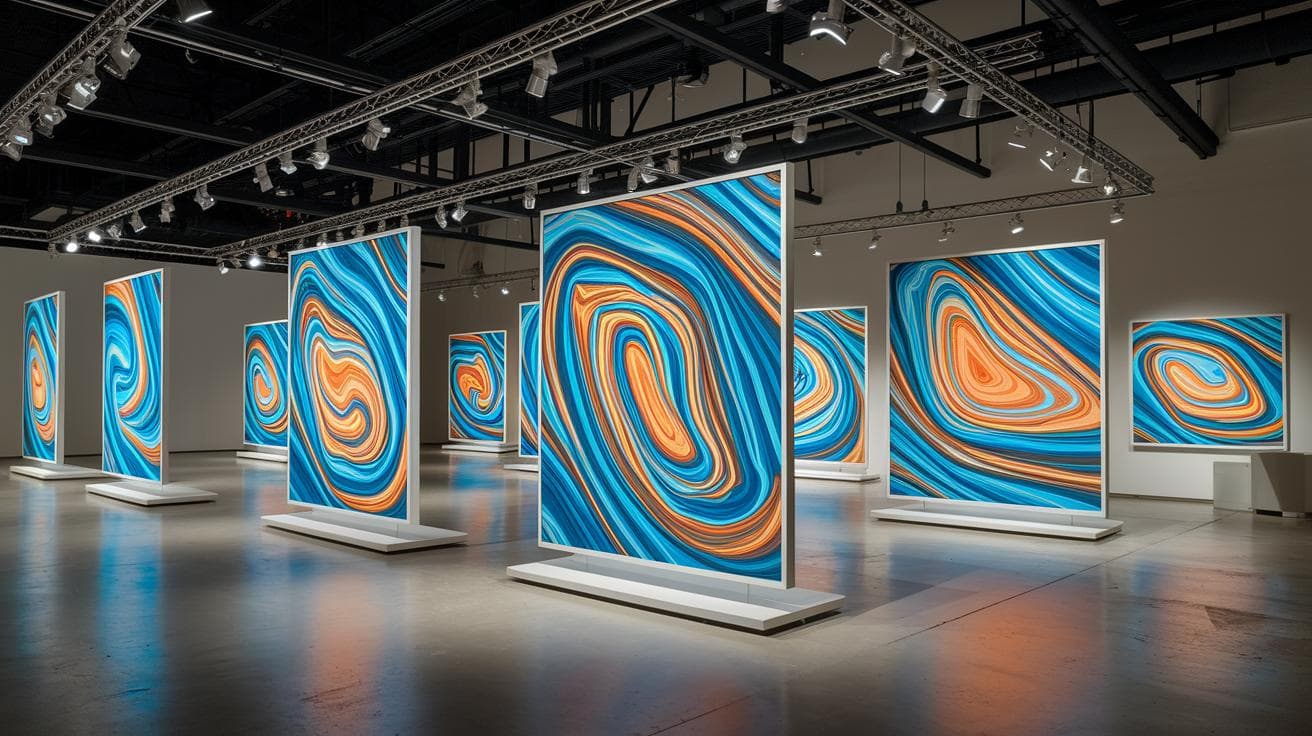
Have you ever typed a few words and watched them turn into a wild abstract painting? It’s like whispering a recipe into a humming blender and seeing art spill out. With Midjourney (an AI art tool that transforms text into images), you can make that magic happen!
Midjourney uses a four-part prompt that works like a simple art recipe:
- Composition: how you arrange shapes on your canvas.
- Format: the image’s orientation and size.
- Color palette: the mood you set with your chosen hues.
- Structure type: the level of detail, like picking a sketch or a high-definition render.
Then you add four flags at the end, kind of like sprinkling a dash of spice:
- ar: aspect ratio, or how wide versus tall your image is.
- s: style weight, meaning how much a style influences your final picture.
- q: quality, which balances render time against detail (higher means slower but sharper).
- c: chaos, the amount of randomness that spices up your scene.
In this guide, I’ll walk you through each step so your next AI masterpiece feels like it jumped off a gallery wall. Let’s dive in.
Core Prompt Blueprint for Abstract Art Effects in Midjourney

When you dive into abstract art with Midjourney, having a simple prompt formula is a total game-changer. It’s like giving the AI a 4-step recipe: composition (how shapes sit together), format (the canvas ratio), color scheme (the vibe of your palette) and structure type (smooth flow or sharp geometry). Then you tag your prompt with four key flags: -ar, -s, -q, and -c. Have you ever wondered how a few words can shape an entire painting?
The -ar flag sets your image’s frame, like picking a square or portrait mode for your Instagram feed. The -s tag handles style weight: drop it low for a tight look, crank it high for a wild, decorative vibe. With -q you dial detail up or down, and -c tosses in organic randomness for those surprise textures. So you end up steering your abstract art without any guesswork.
Got some examples? Here are a few that show how you mix keywords with flags:
- “Cleanly geometric abstraction of floating cubes and spheres; minimalist Bauhaus composition. -ar 2:3”
- “Liquid mercury abstract flow art, smooth swirl motion, shiny metallic feel. -s 500”
- “Fractured glass wave abstraction, shattered translucent shards folding in undulating waves. -q 2”
- “Algorithmic infrared heatmap swirl, thermal gradients blending in organic patterns. -c 800”
To bring your template to life, sprinkle in sensory words, ethereal glow, dynamic momentum or flowing ribbons of color. Then toss on premium tags like ultra-premium, luxury or gallery-worthy to hint at an upscale vibe. You’re basically unlocking generative AI abstract art tricks that let your personal style shine. Give it a spin and watch your visions bloom.
Exploring Stylize, Chaos & Aspect Ratio in Midjourney Abstract Art

Have you ever wondered how small tweaks turn into stunning abstract art? Let’s dive into three simple Midjourney flags that feel like fine-tuning a sleek synth, giving your images their own personality.
–s (Stylize): cranks up decorative details. Slide it to 600–900 and watch extra flourishes pop in (midjourney version 5 new features).
–c (Chaos): adds organic randomness. Dial in 750–900 to spark unexpected shapes and surprises.
–ar (Aspect Ratio): sets your frame’s shape. Pick from 4:5, 9:16, 16:9, 1:1, or 2:3 to fit any platform or mood.
| Flag | Purpose | Recommended Range |
|---|---|---|
| –s (Stylize) | Adds decorative flourishes | 600–900 |
| –c (Chaos) | Introduces organic randomness | 750–900 |
| –ar (Aspect Ratio) | Defines image frame | 4:5, 9:16, 16:9, 1:1, 2:3 |
Crafting Vivid Color Palettes and Texture Blends for Abstract AI Art

Have you ever wondered what it feels like to mix paints inside your imagination? That’s color theory in abstract AI art. You start by choosing a palette, like picking your paint tubes, and then add a texture cue, say rough grain or glossy sheen, so you can almost touch it. When you feed Midjourney (an AI art generator) a clear palette plus a material prompt, it blends in soft haze or thick impasto right on your canvas.
Flat shapes suddenly turn into immersive scenes packed with depth, mood, and a dash of real-world feel. Incredible, right?
Here are some presets to kick off your creativity:
- Designer color palette 2024 with impasto technique: Bold emerald, magenta, and amber brushstrokes sculpted like clay, you’ll sense the form beneath each hue.
- Sunset palette with film grain overlay: Warm coral, peach, and dusky lavender blend in a gradient hugged by subtle grain, giving a vintage, cinematic glow.
- Ocean depths palette with sand and metal mixture: Deep teal and navy currents textured with gritty sand and glinting metal flecks, imagine an underwater treasure shimmering.
- Aurora Borealis spectrum with glow effect: Shifting greens, purples, and pinks bathed in soft luminescence, like the night sky dancing above you.
- Premium iridescent shift with liquid pearl appearance: Pastel tones melt like molten glass, finished in a glossy sheen that feels luxe and dreamy.
- Pastel color schemes with frosted haze texture: Gentle pinks, mint, and lavender swirled through a misty layer, creating a sweet, ethereal vibe.
Feel free to swap a texture or trade a palette to unlock fresh, immersive abstract vibes that speak to your style.
Iterative Refinement with Multi-Prompt Chaining and Version Control in Midjourney

Think of version control and seeding as a safety net for your abstract art. When you use -v 5, Midjourney cranks out five or more fresh takes on your prompt. A seed number then locks in the exact look you love. It’s a lot like sketching thumbnails before painting the final piece.
- Start with -v 5 to generate at least five versions from your base prompt. You’ll spot patterns or unexpected twists every time.
- Pick the strongest image and feed its prompt back into Midjourney. Tweak its descriptors or textures but keep your main flags the same.
- Add negative prompts like “-no soft blur” to strip out unwanted elements and sharpen your style.
- Keep a simple log of each prompt and seed number. That way, you can revisit or tweak the exact randomness whenever you want.
To build a cohesive series, stick with one core prompt and the same parameters. Then swap out just one element, maybe the color palette, a texture cue, or the chaos level. You’ll end up with a unified collection that still feels fresh and adventurous.
Advanced Styles for Midjourney Abstract Art: Geometric, Surreal & Expressionistic

Ever thought about blending styles like you mix your favorite songs? You might pull in sharp angles from geometric art, swirl in the dreamlike flow of surrealism, then splash on bold, brushy strokes from expressionism. It’s kind of like creating a visual remix, each layer adds a fresh beat.
And Midjourney? It’s your DJ. One prompt can coax out precise, math-driven patterns that feel soothing to the eye. The next can conjure floating shapes that drift like clouds. Then there’s the option to carve forms with cubist-inspired breaks or light up your frame with glowing, cell-like bursts. Each style direction nudges the AI’s software (machine learning, or software that learns from data) to flex its creative muscles in new ways.
You might kick things off with a tiny, ornate detail, think filigree on a miniature scale. Then you ask for fractured shards folding into waves, or a cellular motif that seems to pulse. It feels like guiding a painter’s hand while still letting them surprise you.
| Style | Prompt Example | Key Parameters |
|---|---|---|
| Expressionistic | Brutalist meets Art Nouveau Abstract; micro-detailed ornamentation. | –s 850 –q 2 |
| Geometric | Intricate Islamic geometric pattern, tessellated hexagons, golden ratio mathematics. | –ar 1:1 –s 750 –q 2 |
| Surreal | Fractured glass wave abstraction, shattered translucent shards folding in undulating waves. | –ar 16:9 –s 650 –q 2 |
| Cubist Experimental | Ultra-high-end biometric abstraction; liquid pearl appearance and bioluminescent accents. | –ar 4:5 –s 750 –q 2 –v 5 |
Sticking to just one vibe feels safe. But have you tried dusting cubist shards with tiny ornament details? Or draping Islamic tiling under a soft, biomorphic glow? Those mash-ups invite Midjourney to mix visual dialects and surprise you with something totally new.
Then all you do is tweak one setting at a time. Maybe adjust the aspect ratio or dial down the stylization (that’s the “–s” number). Before you know it, those four approaches blend into a look that’s unmistakably yours.
Streamlined Midjourney Workflow: Prompt Storage, Post-Processing & Export Settings

Have you ever felt lost in a tangle of prompts and image files? I keep things simple by building a prompt library in a spreadsheet or note app. Grouping similar styles, say, geometric builds in one tab and fluid abstracts in another, means I can jump straight back to a vibe without hunting through random text.
- Save each successful prompt in its own folder or spreadsheet tab.
- Jot down version numbers and seed values (that’s the random code Midjourney uses) for exact recalls.
- Open your images in a basic editor to tweak contrast, boost saturation, or layer multiple renders for more depth.
- Export high-detail art as PNG for crisp edges and rich colors.
- Resize and export as optimized JPG at 72 dpi for faster loading on web galleries or social media.
Once Midjourney spits out your images, fire up your favorite editor and fine-tune the details. Feel the smooth sliders as you adjust tones or blend layers, small tweaks can make a big difference.
For prints, bump up the resolution and stick with PNG to keep every detail sharp. If you need leaner files for online posts, go with a JPG at 72 dpi and dial in the quality until it looks great without slowing down the page.
Final Words
Diving into detailed prompt formulas and core parameters gives you a ready-to-use blueprint for abstract AI art. You saw how aspect ratio, stylize, quality, and chaos settings shape ethereal, dynamic visuals.
Next, mixing color palettes and textures, iterating with version control, and exploring geometric, surreal, and expressionistic styles equips you for endless creativity.
Streamlined storage and post-processing tips keep your workflow smooth. Keep experimenting, your exploration in creating abstract art effects with Midjourney is just beginning, and the possibilities are exciting.